
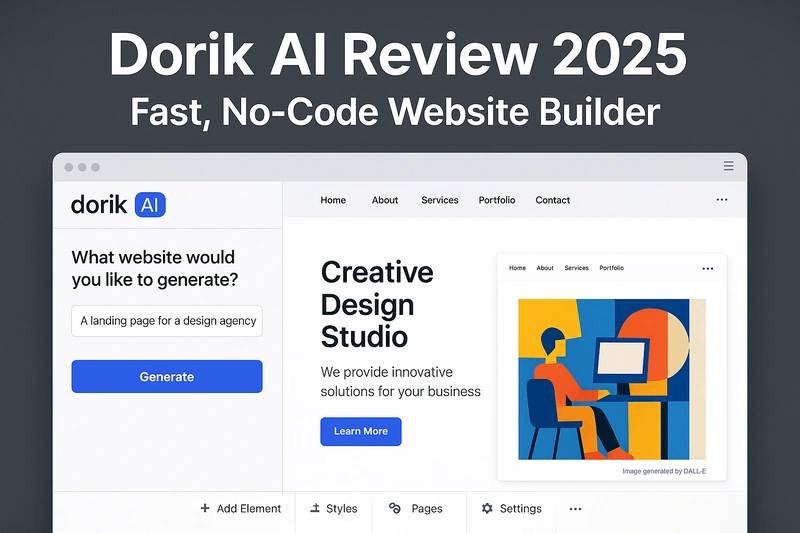
If you want to launch a website fast — without hiring a developer, learning WordPress, or struggling with design — Dorik AI might catch your eye. It claims to generate full websites from a single prompt using GPT‑4 and DALL·E, saving you hours of manual work.
But how good is it really? Can it build a usable site or is it just another generic AI gimmick?
In this review, I’ll break down what Dorik AI actually offers, how it performs in real use, what Reddit users say, its limitations, and whether it’s worth the $249 lifetime deal they’re pushing.
Quick Summary
Dorik AI is a lightweight, no-code website builder that uses AI to generate full sites — content, layout, and even images — from a simple prompt. It’s best for solo creators, agencies, and MVPs that need to get online fast. It’s clean, fast, and easy to use, but lacks deep customization or strong e-commerce capabilities.
| What it is | AI website builder with GPT‑4 prompt generation + drag-and-drop editor |
| Best for | Solo founders, agencies, portfolios, MVPs, SaaS landing pages |
| Key Pros | Fast setup, clean design, white-label CMS, HTML export, strong support |
| Key Cons | Not ideal for eCom, AI outputs are basic, limited design flexibility |
| Pricing | Free plan, paid plans from $19/mo, $249 lifetime deal available |
| Final Verdict | Great for fast, simple websites — worth it if your use case fits |
🧠 What is Dorik AI?
Dorik AI is an AI-powered website builder that creates fully functional websites from a single text prompt. It uses GPT-4 to generate content and layout, along with DALL·E to auto-generate images. The goal is to help you go from idea to live website in minutes, without needing any coding or design skills.
This version is different from the standard Dorik builder, which is more manual and template-based. Dorik AI handles most of the heavy lifting for you at the start. You simply type what kind of site you want, like “a personal portfolio for a UX designer with a blog and contact form,” and it generates a ready-to-edit website with layout, copy, and visuals included.
It’s built for speed and simplicity. That makes it especially useful for people who:
- Don’t want to start from a blank canvas
- Need a decent-looking site quickly (like MVPs, landing pages, or portfolios)
- Prefer a clean, no-code builder but still want some manual control
After generation, you can fine-tune the design using Dorik’s drag-and-drop editor. You also have the option to export the site as clean HTML and CSS if needed.
⚙️ Dorik AI Features (with Real-World Use)
Dorik AI isn’t just about pushing out a one-click website. Once the AI does its job, you still get access to a surprisingly capable set of tools — most of which are built to help creators, freelancers, and agencies move fast.
Here’s a breakdown of the key features, along with what actual users say about them:
🟩 AI Website Generator (Prompt to Site)
You start by entering a prompt like “modern consulting agency website with contact form and pricing.” Dorik uses GPT-4 to build the structure and content, while DALL·E auto-generates images.
“I used it to launch my author site in one evening. It wasn’t perfect, but saved me hours.” – Reddit user
🟩 Drag-and-Drop Editor
Once the AI gives you a draft, you can rearrange or replace sections visually. The editor is clean and responsive — though a few users mentioned minor lag during heavier edits.
“Way easier than Webflow. Just click, drag, and done.” – G2 reviewer
🟩 Blogging + CMS
You can run a lightweight blog and use Dorik’s CMS to manage posts or client content. It’s not as flexible as WordPress, but enough for small blogs or portfolios.
“I managed a blog and a newsletter signup page with no issues.” – Reddit
🟩 Membership & Paywall Support
You can create private content, member-only areas, and collect payments using Stripe or Gumroad. It’s great for creators selling courses, digital downloads, or exclusive content.
🟩 SEO Tools Built In
Meta titles, descriptions, Open Graph tags, clean URLs, and sitemap support come out of the box. You don’t need a separate SEO plugin.
“Google indexed my pages within a day. Didn’t touch a plugin.” – G2
🟩 Export to HTML/CSS
Unlike many AI builders, Dorik lets you export your code. This is a big plus for developers and freelancers who want future flexibility.
“The export option is what sold me. I’m not locked in if I outgrow it.” – Product Hunt comment
🟩 White-Label CMS (for Agencies)
Agencies can offer branded CMS access to clients. You can customize the backend, logo, and domain so clients never see the Dorik brand.
🟩 Integrations
Supports Stripe, PayPal, Gumroad, Airtable, Zapier, and more. Enough for most use cases like payments, automation, or lead capture.
🧭 How Dorik AI Works (Step-by-Step)
Dorik AI promises to get your website online fast, and the overall flow is simple. Here’s what the real user experience looks like:
Step 1: Enter a Prompt
You describe the kind of site you want — for example:
“A portfolio website for a freelance graphic designer with testimonials, pricing, and contact form.”
Step 2: Dorik Generates the Site
Within seconds, it auto-generates a full layout, text, images, and sections using GPT‑4 and DALL·E.
“It spit out a working site in under 30 seconds. Layout was decent, copy was usable.” – Reddit user
Step 3: Customize with the Editor
Use the drag-and-drop builder to tweak content, layout, colors, fonts, and more.
This step is where most users spend time improving the generic AI output.
Step 4: Add Extra Features (If Needed)
You can activate a blog, add a paywall, integrate Stripe, or embed forms. Most of it works without needing plugins.
Step 5: Publish or Export
You can launch your site on a Dorik subdomain, use a custom domain, or export clean HTML/CSS code.
It’s fast, flexible, and much smoother than many other AI builders — but don’t expect magic. The AI gives you a good draft, not a final product. Manual polishing is still part of the process.
✅ Real Pros & Cons of Dorik AI (Backed by Actual Users)
Here’s what real users across Reddit, G2, Product Hunt, and SoftwareAdvice have reported — not just surface-level marketing claims. These pros and cons are based on actual experience from freelancers, small business owners, agency users, and solo founders.
👍 Pros
✔ Fast and beginner-friendly
You don’t need to know design or code to get started. Just type a prompt and let the AI generate the basic layout and copy. For many users, the site is 80% usable out of the box. It’s especially helpful for people launching MVPs, portfolios, or landing pages.
“It spit out a working site in under 30 seconds. Layout was decent, copy was usable.” – Reddit
✔ Clean, modern layouts
The auto-generated sites look surprisingly decent. While not pixel-perfect like Framer, the designs feel professional, minimal, and mobile-friendly. You won’t need to wrestle with ugly blocks or outdated templates.
“Even without tweaking, it looked cleaner than most things I’ve built in Carrd.” – Product Hunt
✔ Built-in SEO tools
Dorik gives you built-in options for meta titles, descriptions, Open Graph tags, and sitemap generation. You don’t need any third-party plugin to make your site SEO-ready.
“Google indexed my pages within a day. Didn’t touch a plugin.” – G2
✔ Export to HTML/CSS
One of the standout features. If you ever outgrow Dorik or want to host your site elsewhere, you can export clean, readable HTML/CSS. No messy code or dependency lock-in.
“The export option is what sold me. I’m not tied down like with Wix or Framer.” – Reddit
✔ White-label CMS (great for agencies)
If you’re building websites for clients, Dorik lets you hand over a CMS with your own branding. Clients never see Dorik in the backend. You can even use a custom domain for the CMS.
✔ Excellent support (especially on paid plans)
Multiple users mentioned that Dorik’s support team replies quickly — sometimes within hours — and even sends screen recordings or detailed responses.
“They don’t just fix bugs — they guide you through the fix.” – G2 review
👎 Cons
✘ Limited eCommerce support
Dorik isn’t built for full-scale online stores. While you can collect payments using Stripe, PayPal, or Gumroad, there’s no proper product catalog, cart system, or checkout experience. For anything beyond digital products or single-page checkouts, it’s not enough.
“I wanted to sell five products. Had to embed Gumroad links manually.” – Reddit
✘ AI content is generic by default
Like most AI tools, Dorik’s generated text and layout are usable but uninspired. It often gives you a solid skeleton, but you’ll need to rewrite the copy and refine the structure if you want a polished, brand-ready site.
“Decent for a wireframe or MVP. Not something I’d show a paying client without edits.” – Product Hunt
✘ Smaller template library compared to others
The pre-built templates (and even the AI-generated ones) are more limited than what tools like Webflow or Wix offer. You’ll likely see some design repetition unless you manually customize sections.
✘ No template switching mid-project
If you start building a site and later want to switch to another layout, you’ll need to start over. Dorik doesn’t allow swapping templates once you’ve begun customizing.
✘ Minor performance issues
Some users reported occasional lag, especially when editing longer pages or switching between blocks rapidly. It’s not frequent, but enough to be noticeable during heavy edits.
“It slowed down when I added 10+ sections. Not a deal-breaker, but annoying.” – Product Hunt
💰 Dorik AI Pricing Plans
Dorik AI offers a 14-day free trial so you can explore the full platform without restrictions. After the trial ends, you’ll need to upgrade to a paid plan to keep building and publishing.
Here’s a breakdown of the paid plans:
| Plan | Price | Key Features | Best For |
| 14-day Trial | Free (14 days) | Full platform access, no credit card required | Testing, trial use only |
| Personal | ~$18–19 per month | Remove branding, AI builder, basic integrations, SEO | Solo creators, freelancers |
| Business | ~$39 per month | Membership/paywall, advanced integrations, white-label CMS | Agencies, small businesses |
| Lifetime Deal | $249 one-time payment | All Business features, no recurring fees | Long-term users, freelancers, agencies |
🎯 Who Should Use Dorik AI (And Who Should Not)
Best fit for:
- Solo creators and freelancers who want to build professional-looking portfolios, personal websites, or landing pages fast, without learning design or code. Dorik AI’s prompt-to-site approach means you can get a solid draft instantly, then tweak as needed.
- Agencies and freelancers who build multiple client sites and want to speed up their workflow. With the white-label CMS and export options, you can deliver client-ready sites without exposing the Dorik brand.
- Startups and SaaS founders needing MVPs or simple landing pages to test ideas quickly. Dorik AI lets you go from concept to launch in hours, which is perfect when speed matters.
- Bloggers, course creators, and membership site owners who want a straightforward setup for paywalls or gated content, integrated with Stripe or Gumroad without complex plugins.
“Perfect for people who want a decent site fast, not for those who want to micromanage every pixel.” – Reddit user
Not a good fit for:
- E-commerce businesses needing full product catalogs, shopping carts, inventory management, or complex checkout flows. Dorik’s payment integrations are limited mostly to simple digital product sales or one-time payments.
- Users who want pixel-perfect design or highly customizable layouts. If you want total control over every element or animation, tools like Webflow, Framer, or even WordPress with page builders are better suited.
- Large teams or companies needing multi-user CMS with roles and permissions, workflow automation, or backend logic. Dorik is focused on simplicity and speed, not complex enterprise workflows.
- Anyone who needs to frequently switch design templates mid-project. Dorik currently doesn’t support changing templates after starting, so you must commit early to your chosen layout.
⚖️ Dorik AI vs Competitors: How It Stacks Up
When deciding if Dorik AI is right for you, it helps to see how it compares with popular alternatives in the AI website builder and no-code space.
| Feature / Tool | Dorik AI | Framer | Durable | Webflow | 10Web |
| AI Site Generation | GPT-4 + DALL·E prompt-based | Partial AI, design-focused | 1-click AI-generated sites | No AI, full design control | AI-assisted WordPress builder |
| Ease of Use | Very beginner-friendly | Medium (designer-oriented) | Extremely fast & simple | Steep learning curve | Moderate, WordPress knowledge needed |
| Customization | Limited templates, drag-drop | Advanced layout & animation | Very limited | Pixel-perfect control | WordPress-based, flexible |
| E-commerce | Basic payment support (Stripe) | No native e-commerce | Minimal | Full e-commerce capabilities | WordPress e-commerce plugins |
| SEO Tools | Built-in SEO tools | SEO capabilities | Basic SEO | Advanced SEO | SEO plugins |
| Export Option | Full HTML/CSS export | No | No | No | Yes |
| Support Quality | Fast and responsive (high praise) | Mixed reviews | Good | Mixed reviews | Good |
| Pricing | Free trial, paid plans, $249 lifetime | Subscription-based | Subscription-based | Subscription-based | Subscription-based |
Where Dorik AI Wins
- Fast AI-generated sites with export freedom
- Beginner-friendly with strong white-label CMS for agencies
- Competitive lifetime deal is a big plus
Where Dorik AI Falls Short
- Limited e-commerce functionality
- Less design flexibility compared to Framer or Webflow
- Smaller template library, no mid-project template switching
🔄 Alternatives Worth Considering
If Dorik AI doesn’t perfectly fit your needs, here are a few worthy alternatives — each with their own strengths:
Framer
Great for designers who want pixel-perfect control, advanced animations, and a collaborative design environment. It’s less beginner-friendly but powerful for teams and branding-heavy projects.
Durable
If you want the fastest possible AI-generated site with minimal tweaks, Durable’s 1-click approach might appeal. It sacrifices customization for speed and simplicity.
Webflow
Ideal for those who want full control over every design detail and are willing to invest time learning. Webflow supports complex interactions and e-commerce but has a steep learning curve.
10Web
For WordPress fans who want AI-powered site creation plus the flexibility of a full WordPress backend. It suits users comfortable with WordPress but wanting automation boosts.
Each of these tools targets a slightly different audience and use case, so consider your priorities: speed, design control, e-commerce features, or WordPress compatibility.
🎯 Final Verdict — Is Dorik AI Worth It in 2025?
Dorik AI is a smart choice if you want to build a clean, professional website fast without wrestling with design tools or coding. It shines for solo creators, freelancers, startups launching MVPs, and agencies needing quick client sites. The AI-generated starting point saves you hours, and the drag-and-drop editor lets you customize without frustration.
The $249 lifetime deal is especially appealing for those planning multiple projects or wanting to avoid ongoing fees.
That said, if you need a robust e-commerce store, pixel-perfect design control, or a huge template library, Dorik AI isn’t the best fit. You’d be better off with tools like Webflow, Framer, or specialized e-commerce platforms.
In short:
Go for Dorik AI if you want speed, simplicity, and a no-code site builder that gets the job done fast.
Skip it if you need deep customization, complex workflows, or full-scale online stores.
❓ Frequently Asked Questions (FAQs) About Dorik AI
Q1: Is Dorik AI beginner-friendly?
Yes, Dorik AI is designed for beginners. You just enter a prompt and it builds a draft website for you. Then you can customize it easily using drag-and-drop tools.
Q2: Can I create a blog with Dorik AI?
Absolutely. Dorik offers a simple CMS and blogging platform suitable for small blogs or portfolios. It’s not as advanced as WordPress but works well for most basic needs.
Q3: Does Dorik AI support SEO?
Yes, Dorik has built-in SEO tools including meta tags, sitemaps, and Open Graph settings, so your site is optimized for search engines out of the box.
Q4: Can I export my website from Dorik AI?
Yes, one of Dorik’s standout features is the ability to export your full site as clean HTML and CSS, giving you freedom to host or modify it anywhere.
Q5: How does Dorik AI compare to Framer or Durable?
Dorik AI is faster and simpler than Framer but less customizable. Compared to Durable, Dorik offers more manual control and better export options. The best tool depends on your priorities: speed, design control, or ease of use.
Q6: Is there a free plan for Dorik AI?
Dorik offers a 14-day free trial with full access to all features. After the trial, you must select a paid plan to continue.
Q7: Can I sell products on Dorik AI?
Dorik supports basic payment integrations with Stripe, PayPal, and Gumroad, which work well for digital products or single payments. However, it lacks a full e-commerce system with catalogs and carts.
Q8: Does Dorik AI support membership or paywalled content?
Yes, Dorik lets you create membership sites with gated content and integrates with payment gateways to charge subscribers.
Q9: Can agencies use Dorik AI for clients?
Yes, with white-label CMS and export options, agencies can build and deliver client websites without showing the Dorik brand.
Q10: Does Dorik AI allow switching templates after starting a project?
No, currently Dorik doesn’t support changing templates mid-project. You need to commit to a design at the start.
Q11: How reliable is Dorik AI’s support?
Most users report fast, helpful support via chat and email, often with personalized help like screen recordings. A few users noted occasional delays during busy periods.
Q12: What kind of websites can I build with Dorik AI?
You can build portfolios, personal websites, small business sites, SaaS landing pages, blogs, and membership sites. It’s not suited for large-scale e-commerce or complex enterprise sites.